
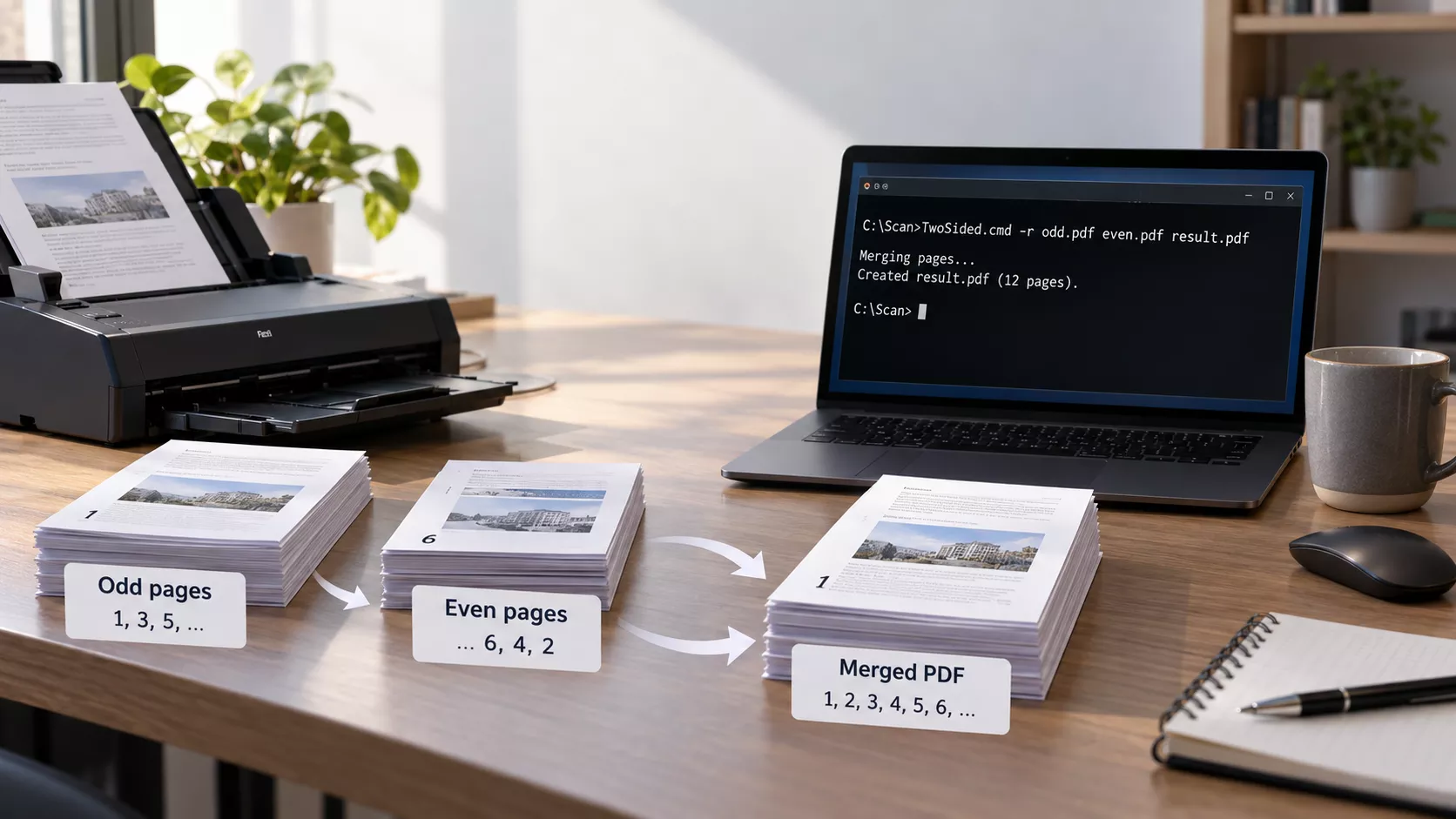
Scanning a double-sided document on a simplex scanner leaves you with two PDFs: the fronts in order, the backs in reverse. Interleaving them is one pdftk command with a backwards page range, and that part has never been the difficult bit. This piece works through the page-index arithmetic, a ten-minute test that proves the merge is correct instead of merely plausible, the feeder faults that produce a silently wrong document, and six places where the Windows batch language will mislead you. Full script included.
The stack you scanned twice
A sheet-fed scanner without a duplex module sees one side of the paper and nothing else. So you scan the whole pile face up, flip it over as a block, and scan it again. Two files land in the folder, and neither is a document. The first holds the fronts: pages 1, 3, 5, and so on. The second holds the backs, but in the wrong direction. Turning the pile over reverses the reading order, so the second file starts with the last even page and finishes with page 2. A thirty-sheet contract gives you a 30-page odd file and a 30-page even file, both perfectly legible, both useless until the pages are laced together.
Doing it by hand in a PDF editor works. It also takes about five minutes per document and goes wrong in a way that is hard to spot: a single misplaced page in the middle of a long scan survives a quick flick-through. Printers have had a word for this family of problems since long before PDF existed. Imposition is the art of putting the right page in the right physical slot, and getting it wrong is how you end up reprinting a job.
The script discussed here is a Windows .cmd file, about 150 lines of it, that drives pdftk. It lists the PDFs in its own folder, asks which file holds the odd pages and which the even ones, checks that the page counts are plausible, suggests an output name, and merges. The interesting part is not the batch file. It is the two or three places where the obvious approach quietly produces a document that looks right and is not.
The arithmetic of a flipped pile
Call the number of sheets n. The odd file holds pages A1 to An, the even file B1 to Bn. The fronts are easy: the k-th page of the odd file is document page 2k-1. The backs are where people trip, because flipping the stack reverses the index:
For five sheets, that is:
| Sheet | Odd file | Even file | Document pages |
|---|---|---|---|
| 1 | A1 | B5 | 1, 2 |
| 2 | A2 | B4 | 3, 4 |
| 3 | A3 | B3 | 5, 6 |
| 4 | A4 | B2 | 7, 8 |
| 5 | A5 | B1 | 9, 10 |
Two things fall out of that table, and both are useful at the workbench.
First, the two indices cross. One sequence counts up while the other counts down, which is why a naive concatenate-then-reorder script is so easy to get wrong by one. Second, with an odd number of sheets there is a fixed point: sheet 3 of 5 sits at index 3 in both files. If your merged document is correct everywhere except around the middle, the problem is almost certainly not the index arithmetic, because the middle is the one place a direction error does not show. Look at the paper instead.
The page counts carry information too. For a document with an even page count, both files hold exactly n pages. For an odd page count the final sheet has a blank back that nobody scanned, so the odd file holds one page more. Any other difference means the scanner dropped a sheet, pulled two at once, or you picked the wrong pair of files. That single subtraction is the cheapest diagnostic in the whole workflow, which is why the script performs it before it merges anything.
What shuffle actually does
The whole job is one command:
pdftk A=odd.pdf B=even.pdf shuffle A Bend-1 output result.pdfcat and shuffle take the same page ranges and differ in how they consume them. cat empties one range, then the next. shuffle takes one page from each range in turn, round-robin, which is exactly the lacing a two-pass scan needs. The letters A and B are handles bound to input files; a bare A means the whole file in natural order.
Bend-1 is the piece that does the real work. It is a page range written backwards, from the last page of B to its first, and because the range is reversed before the interleaving happens, the upside-down scan order is undone as the pages are picked up. There is no separate reversing step and no temporary file. Write B instead of Bend-1 and you get the other case, where a scanner driver or a helpful operator already put the even pages in ascending order. That is the only difference between the script’s -r and -f switches: one string, five characters.
Unequal ranges are handled without any special pleading. When the odd file holds one page more, the round-robin runs out of B first and the leftover A page is appended at the end, which is precisely where a blank back belongs. Worth confirming on your own build rather than taking on trust, since it is the kind of edge behaviour that varies between forks.
That caveat matters because “pdftk” now means at least two different programs. The old native binary stopped at version 1.45 and still floats around installer sites; pdftk-java is the maintained reimplementation and wants a JRE. Command syntax is largely compatible, but rotation qualifiers are the usual sore point. If your flipped stack comes back rotated 180 degrees, a range suffix such as Bend-1south will turn the even pages as they are merged, and the accepted spelling has shifted between versions. Check pdftk --help on the machine you actually use before building it into a script.
qpdf does the same job if you prefer a tool that is actively maintained and has no Java dependency:
qpdf --empty --collate --pages odd.pdf 1-z even.pdf z-1 -- result.pdfHere z is the last page and z-1 is the descending range. The practical trade-off: pdftk’s syntax reads more plainly and its dump_data output is trivial to parse from a batch file, while qpdf is better maintained, stricter about malformed PDFs, and more likely to tell you why a file is broken. For a scanner workflow either is fine. For anything that has to keep running in five years, the maintenance argument wins.
Proving it with a numbered test document
Don’t trust a page-ordering script you have only tested on real scans, where the first page of a contract looks much like the third. Build a test file whose pages are trivially distinguishable, then simulate the scanner in software. Ten pages, each carrying its own number in 200-point type, is enough. Any word processor will produce it; export to PDF and call it test.pdf.
Now fake both scanner passes with pdftk itself:
pdftk test.pdf cat 1 3 5 7 9 output odd.pdf
pdftk test.pdf cat 10 8 6 4 2 output even.pdf
The second line is the important one. It is the flip, written out by hand. Then run the merge you are testing and compare the result against the original:
pdftk A=odd.pdf B=even.pdf shuffle A Bend-1 output check.pdf
pdftotext test.pdf  test.txt
pdftotext check.pdf check.txt
fc test.txt check.txt
pdftotext ships with Poppler and Xpdf; fc is the file-compare command built into Windows. If the merge is correct, fc reports no differences. This beats flicking through a viewer because it is objective and takes two seconds, and because it catches the failure that eyes miss: a correct-looking document with two pages transposed somewhere past page 40.
Don’t compare the PDFs byte for byte. Object order, timestamps and compression dictionaries differ even when the visible pages are identical, so fc check.pdf test.pdf will always report a difference and tell you nothing.
Run the odd-page-count case as well, because that is the branch that exercises the leftover-page behaviour:
pdftk test.pdf cat 1-9 output nine.pdf
pdftk nine.pdf cat 1 3 5 7 9 output odd9.pdf
pdftk nine.pdf cat 8 6 4 2   output even9.pdf
Five pages against four. If the merged file ends with page 9 and nothing is displaced before it, the implementation appends the leftover rather than padding or truncating. Two test runs, five minutes, and you now know how your particular build behaves instead of how the manual says it should.
One more measurement worth taking, since the script calls pdftk … dump_data once per PDF just to show page counts in the menu:
powershell -c "Measure-Command { pdftk big.pdf dump_data > $null }"On a local SSD with a few hundred pages this is typically in the tens of milliseconds, which is why the menu feels instant. On a network share with forty scans in the folder it is the slowest thing the script does, because every file has to be opened and its page tree walked. Measure it on your own setup before deciding the feature is free.
Keep the originals until the comparison passes. The script refuses to write its output over either input, which removes the one genuinely destructive mistake available here, but nothing stops you from shredding the paper too early.
The first version took four arguments and nothing else. It worked, and it was annoying, because scanner software does not name files the way humans type them. Scan_2026-10-07_114233_001.pdf has to be reproduced exactly, twice, with the quotes in the right places, at the exact moment you are least inclined to be careful. Tab completion helps in a shell; nobody runs this in a shell.
So the script now enumerates *.pdf in its own folder, numbers them, and asks for a number. Three characters of input instead of eighty. The enumeration is deliberately scoped to the script’s directory, via pushd "%~dp0", so the thing can be dropped into whatever folder the scanner dumps into and works there without configuration.
The page count printed next to each filename is not decoration. It is the diagnostic from earlier, moved to the point where it is cheapest to act on. You see [31 pages] and [30 pages] and you know before you press anything that this is a 61-page document with a blank final back. You see [31 pages] and [28 pages] and you know the feeder ate something. The script repeats the check after selection and warns if the difference is anything other than 0 or 1, but a warning after the fact is worth less than a number you read before you chose.
The output name is derived rather than demanded. Three rules in order:
- Strip a telltale word out of the odd file’s name.
invoice_odd.pdfandinvoice_even.pdfgiveinvoice_merged.pdf. - Failing that, take what the two names share at the front.
Scan_0742_1.pdfandScan_0742_2.pdfgiveScan_0742_merged.pdf. - Failing that, use the odd file’s name unchanged.
Then it shows the suggestion and waits. Press Enter to accept, or type something else. This is a heuristic, not a result: the three-character minimum on the shared prefix is a guess that keeps odd.pdf plus even.pdf from collapsing to a useless o, and nothing more principled than that. The design rule it follows is worth stating plainly, though. Guess, show the guess, let it be overridden in one keystroke. A tool that guesses silently is worse than one that asks, and a tool that asks for everything is worse than both.
The argument interface survives untouched. Pass four arguments and the menus never appear, which keeps the script usable from a shortcut, a scheduled task, or another script. Interactive convenience that destroys scriptability is a bad trade.
Six traps in the batch file
The batch language is older than most of its users and keeps its surprises close to the surface. Every item below was in the first version of this script, or nearly was.
if ERRORLEVEL 0 is always true. The classic form means “errorlevel is greater than or equal to this”, so zero matches everything. The original reported a successful merge whether or not pdftk had written a single byte. The fix is if errorlevel 1 for the failure branch, or if %ERRORLEVEL% neq 0 if you prefer the comparison spelled out. This one is worth grepping your own old scripts for.
Delayed expansion rewrites your text. Inside a parenthesised block, %VAR% is substituted once, when the block is parsed, so a counter incremented in a for loop reads as its starting value every time. setlocal enabledelayedexpansion and !VAR! fix that, and introduce a new problem: the exclamation mark is now a metacharacter. echo Finished! prints Finished, and a file called Report!.pdf cannot be handled at all. Writing the messages with full stops instead of exclamation marks costs nothing and removes a whole class of puzzling output.
set /a reads leading zeros as octal. Type 08 at a menu prompt and set /a rejects it as an invalid number, because 8 is not an octal digit. The script normalises the input first with for /f "tokens=* delims=0", which strips leading zeros and nothing else. Cheap, and it turns a confusing error into a non-event.
if cond cmd1 & cmd2 runs cmd2 regardless. The ampersand is a statement separator, not part of the conditional. Only cmd1 is guarded. Wrap both in parentheses — if cond (cmd1 & cmd2) — or the loop you thought was conditional will run once and fall through.
Unquoted arguments break on spaces. if not exist %2 fails the moment a filename contains a space, and fails in a way that reads like a missing file. Use %~2 to strip any quotes the caller supplied and put your own back: if not exist "%~2". The same applies to every path handed to pdftk.
Code pages are two settings, not one. chcp 1250 changes what the console does with byte values above 127; it says nothing about how the .cmd file itself is encoded. Get those two out of step and accented text turns to mojibake, which is cosmetic, or an accented string comparison stops matching, which is not. Save the file in the code page it declares, and keep the declaration if any part of the script compares accented text.
One more worth a line. Checking for a tool by running it and reading the exit code is unreliable, since many programs return non-zero for a bare invocation that only printed their usage text. where pdftk >NUL 2>NUL asks the question you actually meant: is this name resolvable on the PATH.
When it goes wrong anyway
Most failures in this workflow happen at the feeder, not in the software, and they share a signature: the merge runs without complaint and the document is wrong from one specific page onwards.
Blank page removal. Of everything on this list, this is the one that catches people. Scanner drivers often offer to discard blank pages, and a two-sided document is full of them — the backs of chapter ends, the reverse of a cover sheet. Drop even one and the 1:1 correspondence between the two files is destroyed, so every pair after it is mismatched. Turn the feature off for duplex work. If the page counts differ by more than one and the paper is intact, look here first.
Double feed. Two sheets pulled together in the odd pass means that file is one page short, and from that sheet onwards each front is married to the wrong back. The giveaway is that the document reads perfectly up to a point and then goes wrong and stays wrong. Find the first bad page, count back, and you have the sheet the roller grabbed twice. Fan the stack and rescan that pass only; the even file is still good.
Rotation. How you flip the stack decides whether the backs come out upright or upside down. Turn it the way you turn a page in a book, about the vertical edge, and the backs are the right way up. Turn it end over end and every even page arrives rotated 180 degrees. Scanners differ in the feed direction, so establish the rule once on a two-sheet test and write it on a sticky note on the lid. If you get it wrong, the fix is a rotation suffix on the B range rather than a rescan.
Mixed settings between passes. Running the first pass at 300 dpi greyscale and the second at 200 dpi colour produces a merged file that works but looks as if it were assembled from two documents, which it was. Set the profile once and leave it alone.
Encrypted or damaged inputs. pdftk needs input_pw for password-protected files and will refuse rather than guess. Structurally broken PDFs, which some cheap scanner firmware does produce, are worth putting through qpdf --check before you blame the merge.
The script has its own boundaries, and they are deliberate. It looks only in its own folder and does not recurse. It assumes exactly two input files, so a job scanned in three batches must be concatenated first. The page-count warning is advisory, not blocking, because there are legitimate scans where the arithmetic looks odd. And the old 32-bit pdftk 1.45 will run out of address space on a very large colour scan long before a modern build does; if you routinely handle hundreds of megabytes, check which binary you have before assuming the file is at fault.
What to check before you bin the paper
Three numbers, one test, one habit.
The numbers: pages in the odd file, pages in the even file, and their difference. Zero or one is healthy. Anything else means the paper lied to you, and no amount of page-ordering cleverness will put it right.
The test: build the ten-page numbered document once, simulate both passes with pdftk cat, merge, and compare the extracted text against the original with fc. Keep the four files in a folder called selftest. Re-run it the next time you change scanner, install a different pdftk, or move the script to another machine. It takes two minutes and it is the only evidence you will ever have that the tool still does what you think it does.
The habit: open the merged file at a random page in the second half before you shred anything. Front and back of the same sheet have a shared physical history — the same crease, the same coffee ring, the same punch holes — and a wrongly paired spread usually looks subtly off even when the text makes sense.
What the exercise really showed is where the engineering sits. The merge itself is one command with a reversed page range; it was finished in an afternoon and has not needed changing since. Everything added afterwards — the page-count comparison, the refusal to overwrite an input, the derived filename you can override, the warning that fires before the work starts rather than after — exists because the failure modes are silent. A tool that breaks loudly needs no guard rails. This one always produces a PDF, always says it succeeded, and will happily hand you 60 pages in an order no one will question until the document matters.
The script in full
Save it as TwoSided.cmd in the folder your scanner writes to. It declares code page 1250, so save the file in that code page too if you keep the accented strings in the filename heuristic; otherwise strip those two lines and the chcp call and the whole thing is plain ASCII. pdftk has to be on the PATH.
@echo off
rem =====================================================
rem  TwoSided.cmd - collates the odd and even pages of a two-sided scan
rem
rem  THE PROBLEM
rem  A scanner without a duplex feeder only ever sees one side of the paper,
rem  so a double-sided document has to be scanned in two passes. The usual
rem  routine is to scan the whole stack face up, giving a PDF that holds
rem  pages 1, 3, 5 and so on, then to turn the stack over as a block and scan
rem  it again, which captures the reverse sides but in descending order:
rem  the last even page first, page 2 last. Neither file is much use alone.
rem
rem  WHAT THE SCRIPT DOES
rem  It passes both files to pdftk's 'shuffle' operator, which interleaves
rem  two page ranges a page at a time, taking one from A, then one from B,
rem  and so on. Writing the even-page range as 'Bend-1', meaning from its
rem  last page back to its first, puts the reversed pass the right way round
rem  as it is merged, so the result comes out in natural reading order. If
rem  the odd file holds one page more than the even one, which is what you
rem  get when the document has an odd page count, shuffle simply appends the
rem  leftover page at the end, so no special handling is needed.
rem
rem  RUNNING IT INTERACTIVELY
rem  Started with no arguments, by double-clicking it for instance, the
rem  script switches to its own folder, lists every PDF it finds there with
rem  its page count, and asks you to choose the odd-page file and the
rem  even-page file by number. It then asks whether the even pages are
rem  reversed, which is the default, or already in ascending order, and this
rem  is what the old -r and -f switches used to decide. Next it works out a
rem  sensible output filename from the two input names and offers it for
rem  editing. The page counts are checked for plausibility, the output is
rem  not allowed to overwrite either input, and an existing file of the same
rem  name is only replaced once you have confirmed it.
rem
rem  RUNNING IT FROM THE COMMAND LINE
rem  Passing arguments skips the menus entirely and keeps the original
rem  calling convention, which is handy from another script or a shortcut:
rem
rem      TwoSided.cmd -r odd.pdf even.pdf result.pdf
rem      TwoSided.cmd -f odd.pdf even.pdf result.pdf
rem
rem  REQUIREMENTS
rem  pdftk must be installed and reachable on the PATH.
rem
rem  KNOWN LIMITATION
rem  Filenames containing an exclamation mark are mangled, because the script
rem  relies on delayed expansion throughout. Spaces and the other usual
rem  suspects are handled.
rem =====================================================
setlocal enabledelayedexpansion
rem Code page 1250 is kept from the original, so that accented filenames and
rem the Hungarian keyword stripping further down survive the round trip.
chcp 1250 >NUL
title TwoSided.cmd

rem --- Check that pdftk is actually there -----------------------------------
where pdftk >NUL 2>NUL
if errorlevel 1 (
	echo.
	echo ***Error: pdftk is not installed, or it is not on the PATH.
	goto end
)

rem --- With arguments present, fall back to the original behaviour ----------
if not "%~1"=="" goto cmdline


rem =====================================================
rem  INTERACTIVE MODE
rem =====================================================
:interactive
pushd "%~dp0"
echo.
rem =====================================================
echo   Collating a two-sided scan
rem =====================================================
echo.
echo Folder: %~dp0
echo.
echo Looking for PDF files and reading their page counts...

set "N=0"
for %%f in ("*.pdf") do (
	set /a N+=1
	set "FILE[!N!]=%%~nxf"
	set "PAGES[!N!]=?"
	for /f "tokens=2" %%p in ('pdftk "%%~nxf" dump_data 2^>NUL ^| findstr /b /c:"NumberOfPages"') do set "PAGES[!N!]=%%p"
)

if %N% lss 2 (
	echo.
	echo ***Error: this folder does not hold at least two PDF files.
	goto end
)

echo.
for /l %%i in (1,1,%N%) do echo    %%i. !FILE[%%i]!   [!PAGES[%%i]! pages]

rem --- The file holding the odd pages ---------------------------------------
:askodd
echo.
set "SEL="
set "ODD="
set /p "SEL=Number of the file holding the ODD pages: "
call :validate
if errorlevel 1 goto askodd
set "IDX_ODD=!SEL!"
for %%i in (!SEL!) do set "ODD=!FILE[%%i]!"
for %%i in (!SEL!) do set "PO=!PAGES[%%i]!"
if not defined ODD (
	echo    - Invalid choice.
	goto askodd
)

rem --- The file holding the even pages --------------------------------------
:askeven
echo.
set "SEL="
set "EVEN="
set /p "SEL=Number of the file holding the EVEN pages: "
call :validate
if errorlevel 1 goto askeven
if "!SEL!"=="!IDX_ODD!" (
	echo    - That is the same file you chose for the odd pages.
	goto askeven
)
for %%i in (!SEL!) do set "EVEN=!FILE[%%i]!"
for %%i in (!SEL!) do set "PE=!PAGES[%%i]!"
if not defined EVEN (
	echo    - Invalid choice.
	goto askeven
)

rem --- Sanity check on the two page counts ----------------------------------
if "!PO!"=="?" goto pagesok
if "!PE!"=="?" goto pagesok
set /a DIFF=PO-PE
if !DIFF! equ 0 goto pagesok
if !DIFF! equ 1 goto pagesok
echo.
echo    Careful: the page counts do not match up. Odd !PO!, even !PE! pages.
echo    The merge will still run, but do check the result afterwards.
:pagesok

rem --- Order of the even pages: -r or -f ------------------------------------
:askorder
echo.
echo Order of the even pages:
echo    1. Reversed - you turned the stack over to scan them   [-r, the default]
echo    2. Ascending - they run 2, 4, 6 ... like the odd ones   [-f]
set "R="
set /p "R=Choice [1]: "
if not defined R set "R=1"
if "!R!"=="1" (
	set "SHUF=Bend-1"
	set "SHUFTXT=reversed [-r]"
	goto ordersel
)
if "!R!"=="2" (
	set "SHUF=B"
	set "SHUFTXT=ascending [-f]"
	goto ordersel
)
echo    - Please enter 1 or 2.
goto askorder
:ordersel

rem --- Work out the suggested output filename -------------------------------
rem  First attempt: strip a telltale word out of the odd-page filename.
rem  The Hungarian words are kept alongside the English one, as cmd's string
rem  substitution is case-insensitive but certainly not language-aware.
for %%a in ("!ODD!") do set "OBASE=%%~na"
for %%a in ("!EVEN!") do set "EBASE=%%~na"
set "BASE=!OBASE!"
set "BASE=!BASE:páratlan=!"
set "BASE=!BASE:paratlan=!"
set "BASE=!BASE:odd=!"
set "BASE=!BASE:__=_!"
set "BASE=!BASE:--=-!"
call :trimsep BASE
set "DEFBASE="
if not "!BASE!"=="!OBASE!" if defined BASE set "DEFBASE=!BASE!"
rem  Second attempt: whatever the two filenames have in common at the front.
if not defined DEFBASE call :commonprefix
rem  Last resort: the odd-page filename as it stands.
if not defined DEFBASE set "DEFBASE=!OBASE!"
set "OUT_DEF=!DEFBASE!_merged.pdf"

rem --- Let the user accept or edit the output filename -----------------------
:outname
echo.
echo Output filename. Press ENTER for !OUT_DEF!
set "ANS="
set /p "ANS=Output: "
if defined ANS (set "OUT=!ANS!") else (set "OUT=!OUT_DEF!")
for /f "tokens=*" %%q in ("!OUT!") do set "OUT=%%~q"
if not defined OUT goto outname
if /i not "!OUT:~-4!"==".pdf" set "OUT=!OUT!.pdf"
if /i "!OUT!"=="!ODD!" (
	echo    - The output must not overwrite one of the inputs.
	goto outname
)
if /i "!OUT!"=="!EVEN!" (
	echo    - The output must not overwrite one of the inputs.
	goto outname
)
if exist "!OUT!" (
	set "YN="
	set /p "YN=    That file already exists. Overwrite it? [y/N]: "
	if /i not "!YN!"=="y" goto outname
)

rem --- Summary, then off we go ----------------------------------------------
echo.
echo --------------------------------------------------------------------------
echo   Odd pages   : !ODD!
echo   Even pages  : !EVEN!
echo   Even order  : !SHUFTXT!
echo   Output      : !OUT!
echo --------------------------------------------------------------------------
set "GO="
set /p "GO=Go ahead? [Y/n]: "
if /i "!GO!"=="n" goto end
goto run


rem =====================================================
rem  COMMAND-LINE MODE:  TwoSided.cmd -r odd.pdf even.pdf result.pdf
rem =====================================================
:cmdline
if "%~4"=="" goto usage
if not "%~5"=="" goto usage
if /i "%~1"=="-r" (
	set "SHUF=Bend-1"
) else if /i "%~1"=="-f" (
	set "SHUF=B"
) else (
	echo ***Error: unknown switch: %~1
	goto usage
)
if not exist "%~2" (
	echo ***Error: the file of odd pages does not exist.
	goto end
)
if not exist "%~3" (
	echo ***Error: the file of even pages does not exist.
	goto end
)
set "ODD=%~2"
set "EVEN=%~3"
set "OUT=%~4"
goto run

:usage
echo.
echo Usage:
echo.
echo   TwoSided.cmd
echo       Started without arguments, it offers a menu of the PDF files
echo       sitting in the script's own folder.
echo.
echo   TwoSided.cmd -r odd.pdf even.pdf result.pdf
echo       The even pages are in reverse order.
echo.
echo   TwoSided.cmd -f odd.pdf even.pdf result.pdf
echo       The even pages ascend as well.
echo.
goto end


rem =====================================================
rem  THE MERGE ITSELF
rem =====================================================
:run
echo.
echo Working...
pdftk A="!ODD!" B="!EVEN!" shuffle A !SHUF! output "!OUT!"
if errorlevel 1 (
	echo.
	echo ***Error: pdftk returned a failure, so nothing was written.
) else (
	echo.
	echo Done, the file is ready: !OUT!
)
goto end


rem =====================================================
rem  Subroutines
rem =====================================================

rem --- Validate the number typed in. On success SEL holds it normalised -----
:validate
if not defined SEL exit /b 1
set "SEL=!SEL: =!"
if not defined SEL exit /b 1
for /f "delims=0123456789" %%a in ("!SEL!") do (
	echo    - Please type a number from the list.
	exit /b 1
)
for /f "tokens=* delims=0" %%a in ("!SEL!") do set "SEL=%%a"
if not defined SEL (
	echo    - There is no such entry in the list.
	exit /b 1
)
if !SEL! gtr %N% (
	echo    - There is no such entry in the list.
	exit /b 1
)
exit /b 0

rem --- Trim separator characters off both ends of the named variable --------
:trimsep
set "S=!%~1!"
:trimsep_r
if not defined S goto trimsep_l
if "!S:~-1!"=="_" (set "S=!S:~0,-1!" & goto trimsep_r)
if "!S:~-1!"=="-" (set "S=!S:~0,-1!" & goto trimsep_r)
if "!S:~-1!"=="." (set "S=!S:~0,-1!" & goto trimsep_r)
if "!S:~-1!"==" " (set "S=!S:~0,-1!" & goto trimsep_r)
:trimsep_l
if not defined S goto trimsep_end
if "!S:~0,1!"=="_" (set "S=!S:~1!" & goto trimsep_l)
if "!S:~0,1!"=="-" (set "S=!S:~1!" & goto trimsep_l)
if "!S:~0,1!"=="." (set "S=!S:~1!" & goto trimsep_l)
if "!S:~0,1!"==" " (set "S=!S:~1!" & goto trimsep_l)
:trimsep_end
set "%~1=!S!"
exit /b

rem --- Common leading part of the two filenames, if at least 3 characters ---
:commonprefix
set "P="
set "k=0"
:cp_loop
set "ca=!OBASE:~%k%,1!"
set "cb=!EBASE:~%k%,1!"
if not defined ca goto cp_done
if not defined cb goto cp_done
if /i not "!ca!"=="!cb!" goto cp_done
set "P=!P!!ca!"
set /a k+=1
goto cp_loop
:cp_done
call :trimsep P
if not defined P exit /b
if "!P:~2!"=="" exit /b
set "DEFBASE=!P!"
exit /b

:end
popd 2>NUL
echo.
echo Press any key to continue.
pause >NUL
endlocal