
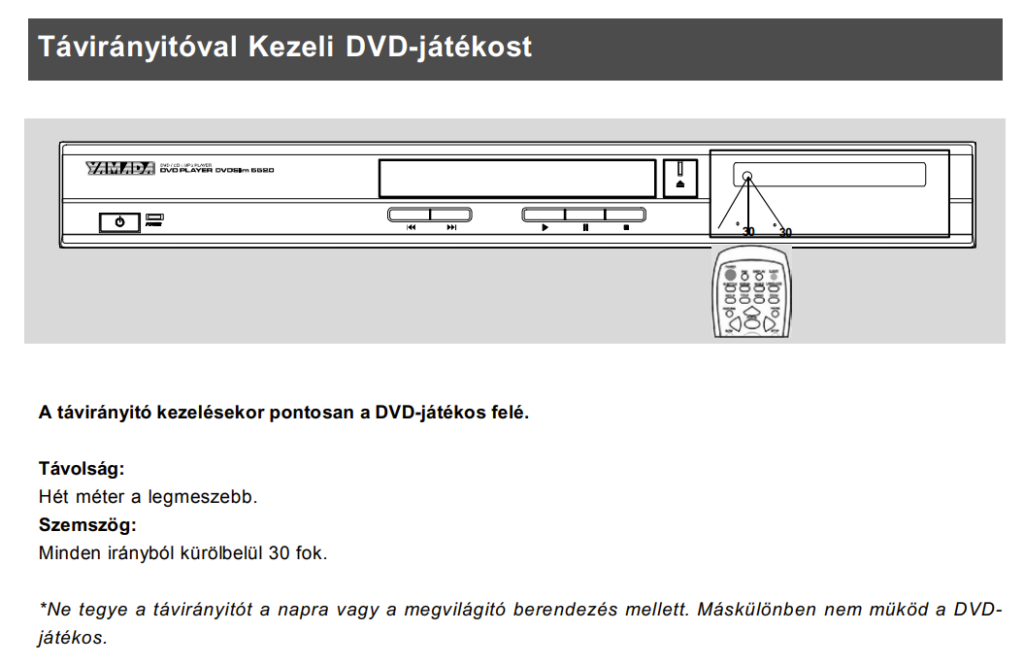
The literal English translation of the Hungarian phrase “DVD-játékos” would be “DVD gamer,” which does not mean some bloke raised on the game consoles of the 2000s who insists on physical discs. Rather, people jokingly used it for a “DVD player” because, years ago, the machine-translated Hungarian user manual of a Chinese device — later read aloud on a radio cabaret show — consistently referred to the device as a “DVD gamer” (“DVD-játékos”). The manual itself was complete nonsense, but at least half the country had a good laugh over it.
My own mad “DVD gamer” is a PHILIPS DVP3580 DVD player that I had not used for quite some time. When I switched it on, the unit did not appear completely dead at first glance; it simply behaved like something that could not quite decide whether it still wanted to live. Sometimes it would work for a shorter or longer time, sometimes it would not even start properly when powered on. A faulty signal appeared on the HDMI output, the analogue output remained usable for a while, and then that went bad too. The display showed false characters.
At this point one begins to suspect the microprocessor, the software, perhaps even planned obsolescence built in by the manufacturer, or some other act of treachery. Yet in most cases, the cause of failure in devices like this is far more mundane: the ageing of a few dirt-cheap components in the power supply.
Suspicious signs: when everything goes wrong at once
With faults like this, it is highly revealing that it is not just one function that dies; several apparently unrelated parts begin to behave strangely at the same time. The HDMI picture is bad, the display acts up, startup is erratic, sometimes the unit works, sometimes it does not. That is typically a sign that the electronics are not receiving a stable supply voltage.
Digital circuits do not tolerate this well. The processor, the display control, and the video circuitry are all sensitive to a power supply whose voltage becomes rippled, noisy, or momentarily sags under load. In such cases, the device does not necessarily shut down completely. The phenomenon is more insidious than that: it gets confused. Exactly like this Philips did.
What usually dies in cases like this?
One of the most common ageing faults in switching power supplies is the deterioration of electrolytic capacitors. The reservoir and filter capacitors on the primary and secondary side are there to smooth the voltage. These capacitors gradually lose capacitance under the combined effects of heat, time, and continuous load, while their internal losses — in other words, their ESR — increase. Once they stop doing their job properly, noise, ripple, and instability begin to appear on the output rails.
A few typical symptoms:
- Unreliable startup: The power supply cannot hold the voltage steady during the inrush phase at startup. If the voltage is noisy or low, the processor may freeze before it even gets going.
- HDMI and analogue signal faults: The digital signal on the HDMI output is extremely sensitive to the cleanliness of the supply voltage. If the filter capacitors are no longer doing their job, the signal falls apart or does not appear at all. The analogue signal holds out longer because it is less sensitive to electrical noise, but after a while it too becomes distorted.
- False display indications (segment errors): The chip that drives the display also runs from the common supply rail. If the voltage fluctuates, the control circuitry goes haywire and random characters appear.
The path of fault-finding
In a case like this, troubleshooting begins by clarifying whether the device is actually faulty or whether its “software has merely flown off the rails” for some reason. These devices never really switch off by themselves; pressing the power button merely puts them into standby. Part of the power supply and part of the electronics remain active day and night as long as the unit is plugged in.
I. Start with a full restart
- Unplug it from the mains for a few minutes, then plug it back in.
- Check whether it works now. If it does, the job is done.
II. Let us inspect the power supply
Power supply faults are common, and repair is usually still economical, since one is replacing components that cost 0.25–0.5 euro, whereas a new DVD player costs at least 40–50 euro. The procedure is as follows:
- Disconnect the device from the mains (unplug it).
- Unscrew the cover of the unit.
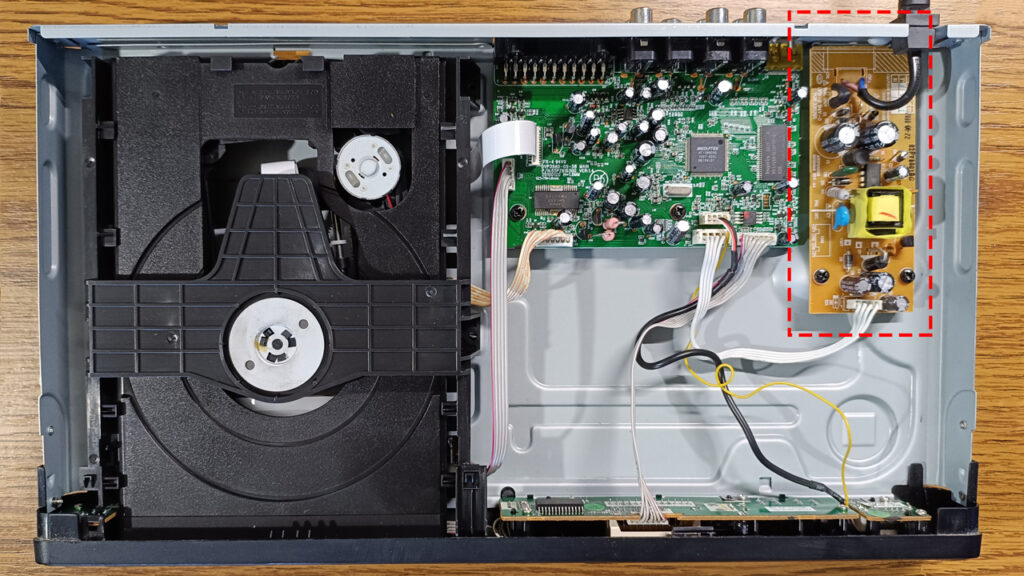
- Find the power supply board (the one where the mains cable enters).
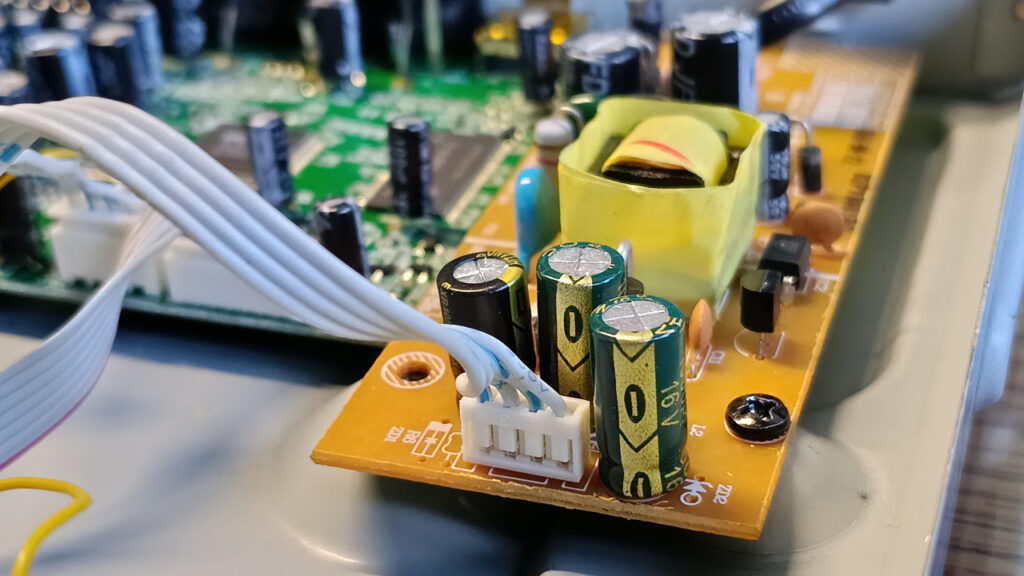
- Inspect the tops of the cylindrical components (the capacitors). If any of them are bulging, swollen, discoloured, or leaking brownish material, you have found your first culprit.
- Remove the power supply board.
- Desolder the faulty capacitor.
- Solder in a new capacitor.
- Just any random electrolytic capacitor found at the bottom of a drawer will not do. Use a low-ESR type (it will be marked Low ESR), and use a new part.
- The capacitance of the capacitor (for example 1000 μF) should be the same as the original, or, if there is room on the board, it may be slightly higher (for example, in place of 1000 μF, you may quite happily fit a 1200 μF part if it physically fits).
- The voltage rating of the capacitor (for example 16 V) must be equal to or higher than that of the original capacitor (for example, in place of a 16 V part you may install a 25 V one if there is room, though anything larger is unnecessary). An important rule of thumb: the capacitor’s voltage rating should be at least twice the operating voltage. For example, a 6.3 V capacitor must not be used on a 5 V output. For 5 V, a 10 V or 16 V capacitor is recommended. A 16 V capacitor is not suitable for a 12 V output; there you need at least 25 V or 35 V. The input capacitors (on the primary side) should be 400 or 450 V types suitable for mains operation. (After rectifying the 230 VAC mains voltage, their operating voltage is 230·√2 ≈ 325 V.)
- Important: the temperature rating of capacitors used in a power supply is also critical. Use types rated for –25…105 °C operating temperature (this too will be marked on them). Ordinary –25…+85 °C capacitors will also work, but the unit will fail again soon enough.
- During installation, polarity matters. An electrolytic capacitor is not a democratic component: if you install it backwards, it will have a very firm opinion about the matter.
- Once the replacement is complete, reinstall the power supply. Connect the unit to the mains and test it. If it works, the job is done.
III. Check the supply voltages
Unfortunately, many bad electrolytic capacitors look perfectly normal. So the fact that one is not bulging does not mean it cannot be faulty. Indeed, a failed capacitor can drag the whole power supply into the grave with it, so the next step is to check whether the power supply is functioning at all.
Be careful: in many places on the power supply board there is an accessible voltage of around ≈0.4 kV, which can cause a fatal electric shock. Never touch the board or its components by hand or with any tool that does not have proper insulation. Use a 230/230 V isolation transformer for the supply if you have one.
- Plug the DVD player into the mains and switch it on.
- Measure the supply voltages at the output of the power supply. Work carefully. Touch only the output connector with the test leads, do not touch anything else, and do not cause a short circuit.
In a DVD player one typically finds a +5 V output (for the digital circuits) and a +12 V output (for the motors) on the board; there may also be a +3.3 V rail, though that is usually generated on the main board by a voltage regulator from the +5 V line for the processor.
- If you do not find the proper voltages at the output of the power supply, then one of two things is the case: a) you forgot to power the unit, or b) the power supply is dead.
Case b) is not entirely hopeless either, but it requires greater expertise, the chances of success are less certain, and the cost is higher. If you can obtain a working power supply from an identical unit, you can replace the whole board. Or ask yourself whether it is worth continuing, or whether the thing would be better off in an electronic waste container.
IV. If the power supply works, move on
If the supply voltages appear correct on a multimeter, then the supply is at least functioning — but that does not mean the capacitors in the power supply are not weak or bad. Multimeter readings might show correct supply voltages, but these electronics often draw large current pulses that the PSU can’t handle anymore. An oscilloscope might reveal transients of a few tenths of a volt on the +5V line, which could totally mess up the system’s performance.
The next step is the systematic replacement of potentially faulty capacitors. Typically, the parts working on the secondary side in a warm environment are the most vulnerable. These take the greatest load and are the first to wear out.
- Disconnect the unit from the mains.
- Remove the power supply from the device.
- Desolder the capacitors one by one in sequence. If you have an ESR meter, you can neatly identify the faulty ones with it. If you do not, replace all of them one by one according to the instructions in section II/7.
It is often worth replacing the critical electrolytics preventively even if they still seem good. A new capacitor will usually outlast the original, and these are truly inexpensive components.
- Reinstall the power supply and reassemble the unit.
- Test whether it works. If it does, the job is done. If not, the fault is more serious. Consider whether a) you want to continue searching for the fault, b) take it to a professional repair shop, or c) deposit it at an electronic waste collection point.
It may well be that option c) is the most economical one, but if you enjoy tinkering with all sorts of things, I should mention that the tray motor and the optical head movement motor in DVD players can be put to very good use in all manner of solar-powered gadgets.
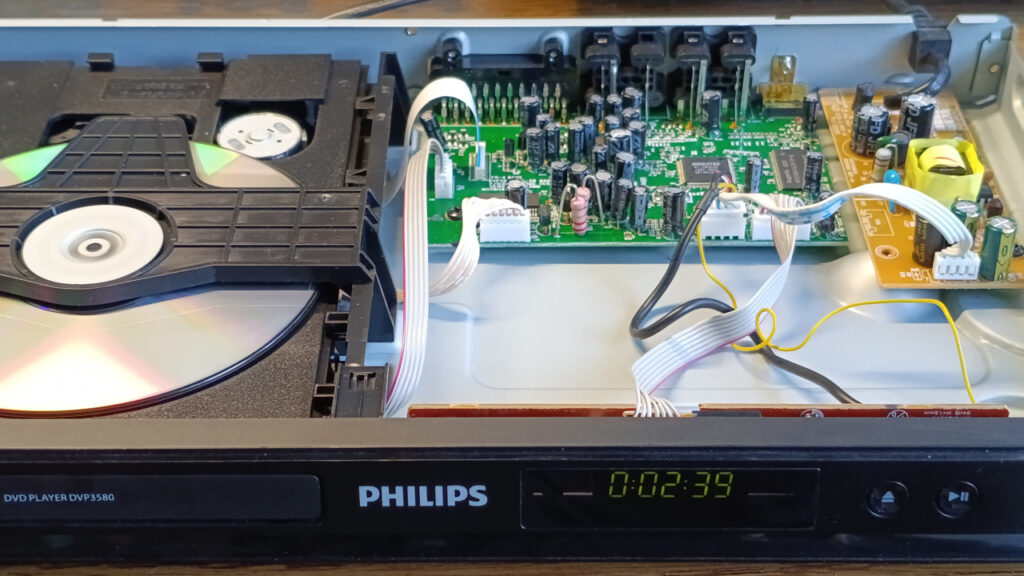
In this particular case, what was the culprit?
In the case of my own PHILIPS DVP3580, the fault really was caused by the capacitors in the power supply. That neatly explains the entire tangled symptom pattern.
Because of the faulty or dried-out capacitors, the power supply could no longer smooth the output voltages properly. So this was not a case of several different faults, but a single common cause: a bad power supply.
The lesson of repairs like this is that behind seemingly complicated digital faults there are very often extremely simple analogue problems. If a device behaves erratically, the digital sections act strangely, but there is no clear, reproducible logic fault, then the power supply should always be among the first items on the suspect list.
The other lesson is that a DVD player often does not end up in the bin because it is beyond repair, but because nobody looks inside it with sufficient expertise. Yet replacing a few ageing cheap capacitors is often all it takes to bring it back to life.